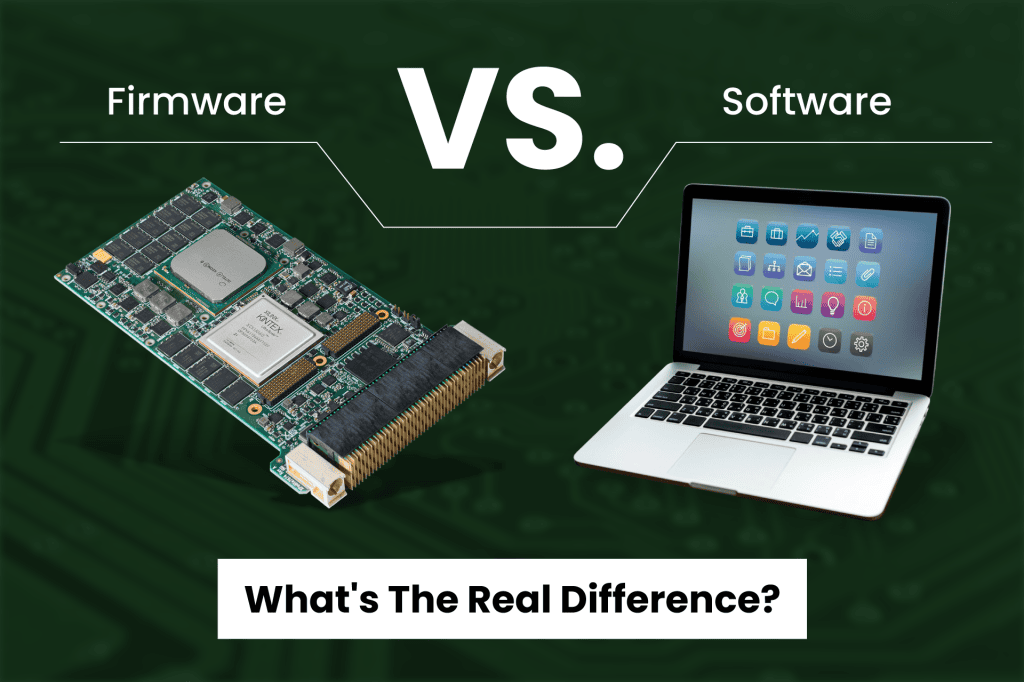
The short answer: Firmware is a specialised type of software written to control a specific piece of hardware. It is stored on the device itself, sits close to the hardware, and is updated rarely. General software runs on top of an operating system, handles user-facing tasks, and is updated often. In short, all firmware is software, but not all software is firmware.
Firmware and software are both essential types of computer programs, but they serve different roles in a system. Firmware is low-level code embedded directly into hardware components. It controls fundamental operations like powering up, hardware communication, and device stability. Stored on non-volatile memory such as ROM or flash memory, firmware operates behind the scenes and is rarely changed. In contrast, software is designed for direct user interaction and performs higher-level tasks like running applications or operating systems. It’s usually stored on hard drives or SSDs and updated frequently. Before you move on to the process of firmware development, you must first understand the distinction between firmware and software.
What Is Firmware?
Firmware is the built-in code that lives inside hardware memory. It acts as the bridge between physical hardware and higher-level software. Unlike apps or operating systems, firmware is stored in non-volatile memory, meaning it stays put even when the device is powered off.
It functions as the inner compass of a device, guiding its basic operations and ensuring proper boot-up and behavior. You’ll find firmware in everything from your Wi-Fi router and keyboard to your smart refrigerator and digital camera.
Firmware doesn’t need to be fancy. It just needs to be dependable, minimal, and solid. Most users won’t even know it is there unless it stops working.
What Is Software?
Software is the digital layer we interact with. This includes mobile apps, computer programs, and operating systems. Unlike firmware, software is designed for more flexible whilst also performing more complex tasks. You can install it, delete it, update it frequently, and in some cases, break it without frying your hardware.
There are two main types:
- System software: like Windows, macOS, or Linux
- Application software: like Photoshop, Spotify, or Zoom
Software lives on storage devices like SSDs, hard drives, and cloud servers. It’s built to evolve quickly and adapt to user needs, unlike firmware, which stays more rigid and conservative.
Aspect | Firmware | Software |
|---|---|---|
Role | Controls and operates specific hardware | Performs user-facing tasks and applications |
Where it lives | On the device, in ROM or flash memory | On disk, loaded into memory, or in the cloud |
Hardware dependence | Tightly tied to one device | Runs across many devices through an OS |
Update frequency | Rarely, through firmware updates | Frequently, through app or OS updates |
Built with | Embedded C and C++, assembly, RTOS | High-level languages such as Python, Java, JavaScript |
User interaction | Usually invisible to the user | Direct user interaction |
Examples | BIOS, microcontroller code, device controllers | Web apps, mobile apps, desktop programs |
Firmware vs. Software: Key Differences
They may both be code, but their purposes, structures, and lifecycles couldn’t be more different. Let’s explore a few key areas where they split paths.
Functionality
Firmware is all about control. It manages basic device operations, including power control, startup routines, and hardware communication.
Software, on the other hand, offers features. It lets you browse the web, play music, edit documents, or chat with friends. Software sits higher in the digital stack, using firmware as a foundation.
In short:
- Firmware handles “how” a device works
- Software handles “what” a device does
Development Environment
Developing firmware frequently resembles programming with severe limitations. The hardware constraints are tighter. Developers usually work in embedded C or Assembly language and must be mindful of memory, power use, and real-time responsiveness. This is specialised work, which is why many product teams bring in a partner for firmware and embedded software development rather than building the capability in-house.
Software development is broader. Languages like Python, JavaScript, and Java are common. Developers use full-featured IDEs and tools. You’ll see more collaboration, version control, and open-source frameworks.
Testing
Firmware testing is often done directly on the hardware. It requires deep debugging tools and simulation environments. A tiny bug can brick an entire device.
Software testing has more flexibility. Automated testing, sandboxing, and rollbacks are easier to perform. You can afford to make a few mistakes during software release cycles.
Updating
Software updates constantly happen. Apps push new versions weekly, sometimes daily. Operating systems get seasonal updates and patches.
Firmware updates? Much less frequent. And usually, a bit more risky. Ever updated a router and crossed your fingers it didn’t crash mid-update? That’s because firmware updates are riskier. If done wrong, they can render a device useless.
That said, over-the-air firmware updates are becoming more common especially in IoT and automotive devices.
Cloud and Connectivity
Cloud technology has reshaped how both firmware and software are managed. While software was quick to adopt cloud services, firmware is slowly catching up.
- Cloud software updates let developers push changes instantly
- Cloud-based firmware management helps scale updates to thousands of devices at once
IoT platforms like AWS IoT Core and Azure Sphere are changing how firmware updates happen, making remote diagnostics and control a reality.
Benefits of Firmware and Software
Even with their differences, both firmware and software are crucial. Here’s what each brings to the table:
Firmware benefits:
- Provides low-level control over hardware
- Ensures consistent device behaviour
- Rarely needs user intervention
- Consumes less power and space
Software benefits:
- Offers flexibility and frequent feature updates
- Allows user customisation
- Easy to patch or improve
- Broad compatibility across systems
You wouldn’t want to run your laptop without an OS. But that OS wouldn’t even boot without the firmware. One can’t shine without the other.
How Do Firmware and Software Work?
Understanding how each functions under the hood gives better context.
How Does Firmware Work?
Firmware lives in read-only memory (ROM) or flash memory, which isn’t wiped during a reboot. When you press the power button on your device, the firmware kicks in first. It checks the hardware, loads basic protocols, and often hands things off to the operating system.
For example, BIOS or UEFI in a PC is firmware that starts your machine. It doesn’t do much visually but without it, nothing else works.
How Does Software Work?
Software interacts with firmware and hardware via drivers and operating systems. It lives on storage devices and gets loaded into RAM during use.
When you click an app, your system allocates memory and CPU cycles to it. It then uses system calls to access your hardware through firmware instructions. So yes, there’s a little dance happening behind the scenes.
Firmware and Software Security
Security is a growing concern on both fronts. Firmware, being closer to hardware, can be a target for attacks that bypass traditional firewalls. Once compromised, a device can be completely controlled.
According to a 2021 report by Microsoft, over 80% of enterprises had experienced at least one firmware-related security incident. Still, most IT budgets are skewed toward software-level defences.
Key practices include:
- Secure boot processes
- Firmware integrity checks
- Regular updates and vulnerability patching
- Endpoint protection software
5 Firmware and Software Use Cases
To better understand how firmware and software function in harmony, let’s take a more profound look into five everyday environments where both play a vital role. From powering up your laptop to keeping your car safe on the road, firmware and software quietly team up behind the scenes to deliver performance, control, and functionality.
Personal Computers
Personal computers remain one of the most relatable examples of where firmware and software work side by side every day.
Firmware in PCs includes the BIOS (Basic Input/Output System) or UEFI (Unified Extensible Firmware Interface). These low-level programs are responsible for bootstrapping the machine, powering up hardware, performing POST (Power-On Self-Test), and handing control over to the operating system. This process happens in the blink of an eye when you turn on your device.
Software, by contrast, includes everything from the OS like Windows or macOS, to productivity tools such as Microsoft Word, browsers like Chrome, or creative apps like Adobe Photoshop.
This duo is essential. Without firmware, your PC wouldn’t even know how to access the keyboard or screen. It wouldn’t know what to do if it didn’t have software. In fact, according to StatCounter, Windows held around 70.07% of the global market share for desktop operating systems in 2024, which underscores how widespread the software layer has become yet it all starts with that humble firmware handshake.
Data Storage and Processing
The hardware that stores and processes our data is another strong example of firmware and software synergy.
Firmware in this context resides within storage devices like solid-state drives (SSDs) or hard disk drives (HDDs). It manages operations such as wear leveling, error detection, and data caching. SSD firmware especially plays a critical role in maintaining data integrity, particularly during high-speed operations or power loss scenarios.
Software is what we use to interact with that data like file explorers, backup utilities, compression tools, cloud sync programs, and more. Enterprise software solutions also manage vast storage arrays and virtual machines using advanced software stacks.
As storage demands rise, firmware innovation becomes even more crucial. IDC predicts that global data creation will grow to 175 zettabytes by 2025. That’s an immense amount of data relying on firmware’s ability to keep hardware reliable while software handles the user-facing operations.
Smartphones
Smartphones are daily proof of how firmware and software must communicate seamlessly to deliver the intuitive experience users expect.
Firmware components in smartphones include the bootloader, touchscreen controllers, power management chips, and baseband processors. These allow the hardware to function correctly and connect to mobile networks, process touch inputs, and manage battery life.
Software, in this case, covers everything users engage with, including the mobile OS (like Android or iOS), apps, messaging tools, social media, and games. Software gives smartphones their versatility, while firmware ensures the hardware underneath behaves predictably.
With over 7.2 billion smartphone users worldwide as of 2024, every one of those devices runs on firmware first, then loads its operating system. And most users never realize their phone’s responsiveness or connectivity starts with deeply embedded firmware logic.
Cars
Cars have evolved into highly sophisticated machines powered by complex codebases that rival commercial aircraft. Each system depends on the partnership between firmware and software.
Firmware in vehicles controls core systems like the anti-lock braking system (ABS), engine control unit (ECU), airbags, and parking sensors. These functions need real-time response, fault tolerance, and stability. The firmware is built into microcontrollers scattered throughout the vehicle and must meet strict automotive safety standards.
Software brings features to life such as infotainment systems, voice navigation, in-car apps, Bluetooth connectivity, and driver assistance systems. This software layer often receives updates, while firmware changes are far less frequent and must go through more rigorous certification.
Modern vehicles contain upwards of 150 million lines of code, according to McKinsey. As cars become more autonomous and connected, the line between firmware vs. software becomes increasingly important to maintain both safety and performance.
Internet of Things (IoT)
The Internet of Things is where firmware and software coordination gets both subtle and impressive. Millions of smart devices operate quietly around us, from fitness trackers to industrial sensors.
Firmware in IoT devices is responsible for local processing, sensor control, and wireless communication. It needs to be efficient, minimal, and extremely reliable since these devices often have limited power and memory. Firmware enables the device to function without constant cloud dependency.
Software steps in for user interfaces, remote dashboards, analytics, mobile control apps, and even AI-driven automation. The software is what allows users to schedule a smart bulb, view a thermostat graph, or receive alerts from a water leak sensor.
With 15.14 billion connected IoT devices worldwide as of 2023, managing this vast network securely is a growing challenge. Firmware needs to be secure against tampering, while software must be flexible and updated frequently to keep up with vulnerabilities and user needs.
In this landscape, firmware forms the silent, dependable core, while software adds the interface, logic, and control.
Firmware vs Software FAQs
What is the main difference between firmware and software?
Firmware controls a specific piece of hardware and is stored on the device itself, while software runs on top of an operating system and handles user-facing tasks. All firmware is a form of software, but not all software is firmware.
Is firmware a type of software?
Yes. Firmware is a specialised category of software written to operate specific hardware. It is lower level and more hardware-dependent than general application software.
Can firmware be updated like software?
Yes, but less often. Firmware is updated through dedicated firmware updates to fix bugs, add features or improve security, whereas software is updated frequently through app or operating-system updates.
What languages are used to write firmware?
Firmware is usually written in low-level languages such as embedded C and C++ or assembly, often on top of a real-time operating system (RTOS). General software tends to use higher-level languages.
Where is firmware stored?
Firmware is stored on the device itself, typically in ROM or flash memory, so it is available the moment the hardware powers on, without needing a separate operating system.
Do I need both firmware and software for my product?
Most connected products need both: firmware to run the hardware reliably, and software or an app for the user interface and cloud features. At Elemental Electronics we design the hardware and develop both the firmware and software in-house.
Conclusion
Even though firmware and software both rely on code, they are designed for very different roles. Firmware gives hardware its heartbeat. Software gives users the ability to interact, perform tasks, and make devices useful.
Understanding the firmware vs. software divide isn’t just for developers. It helps users better appreciate how their tech works, how to maintain it, and how to keep it secure.
Next time your device acts up, you’ll know where to start looking and maybe why pressing that update button matters more than you thought.